![PayNW New Logo.jpg]](https://21910005.hs-sites.com/hs-fs/hubfs/PayNW%20New%20Logo.jpg?height=40&name=PayNW%20New%20Logo.jpg)
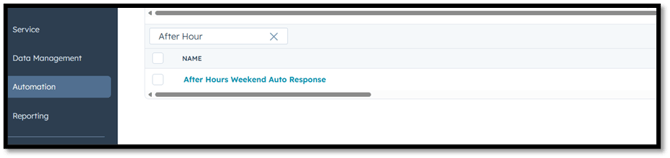
- In HubSpot go to Automation-Workflows
- Search After Hours Weekend Auto Response
-
Place your mouse over the workflow name and select “edit workflow”

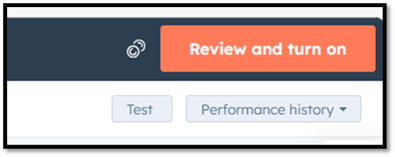
- 4. In the top right corner select “review and turn on”
-
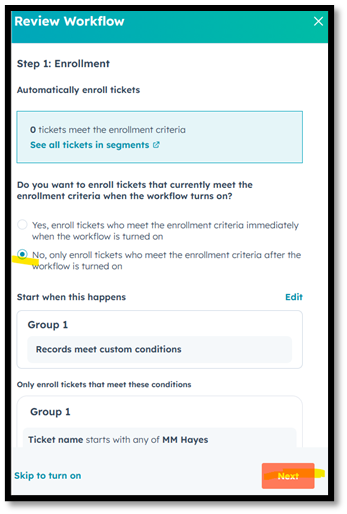
Select No, only enroll tickets who meet the enrollment criteria after the workflow is turned on
-
Click next
- Verify items are off and click next again
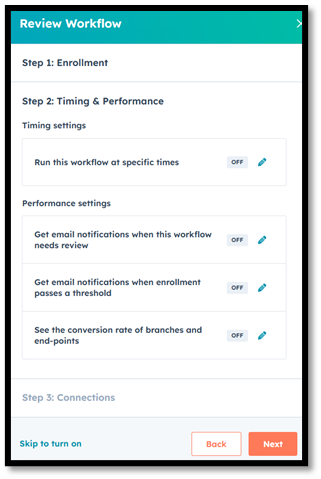
- Click next until step 4 and select Turn on workflow
- From outlook email support@paynw.com to ensure you receive the auto reply
- Monday morning at 8 am Eastern time go back into workflows
- Edit workflow
- Turn off workflow to inactivate this workflow